BIT-101
Bill Gates touched my MacBook Pro




I work from home, so I’m at my desk in my home office a lot. When I’m not in meetings, I like to listen to some music. And I like to have various sources of music available. This post shows the various pieces I use for the different music sources I listen to.
The core component of this whole system is my Yamaha R-S202 receiver. It’s not a crazy expensive, powerful, mega high res device, but it works well for me. It’s the bottom component here:
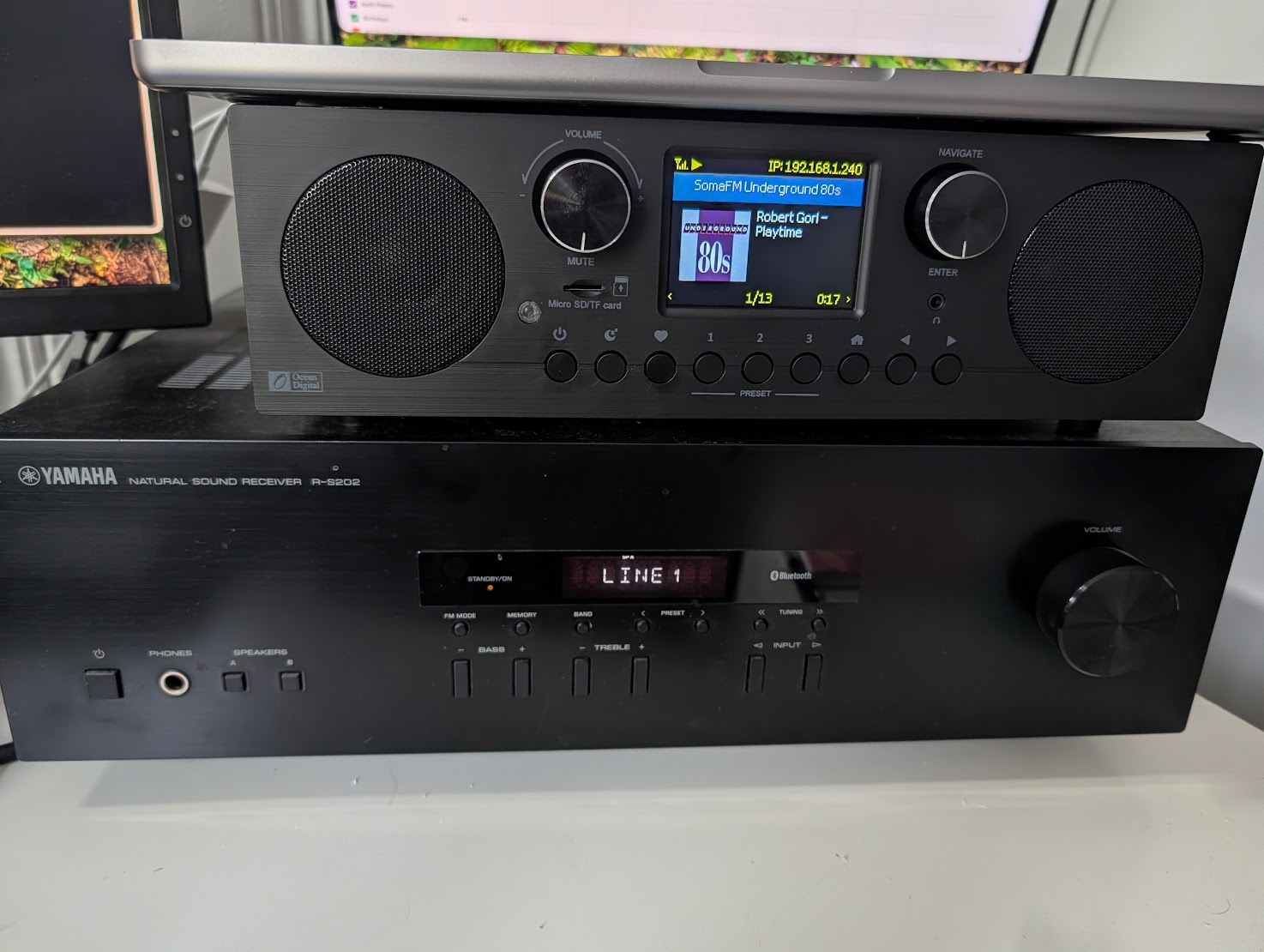
As a receiver, it has an AM/FM tuner and an amplifier with multiple inputs, including BlueTooth, and supports two sets of stereo speakers.
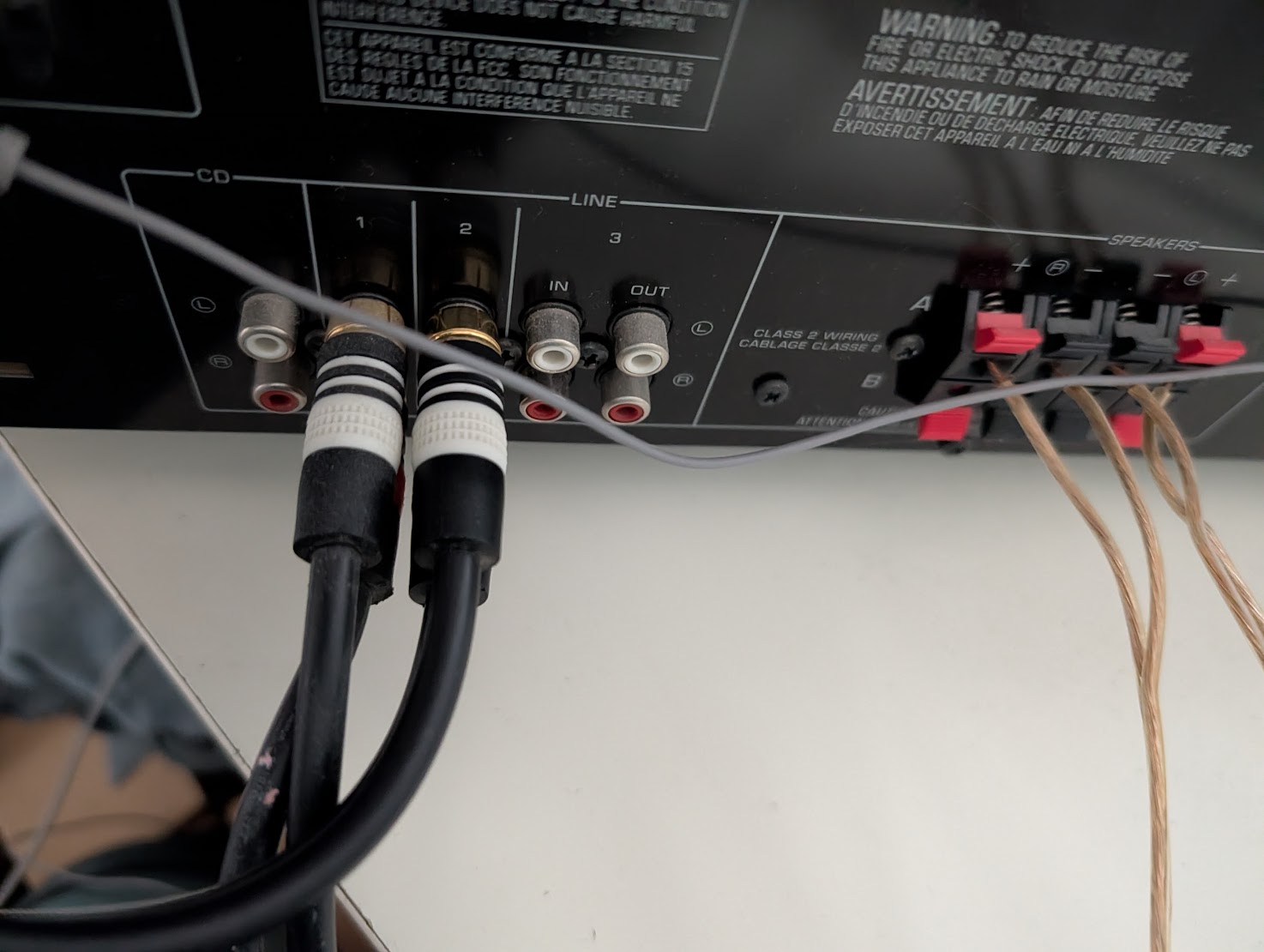
I have some decent cheap speakers mounted to the wall above my desk, and they sound good to me. The receiver has more than enough power for listening to music at my desk.
I don’t really use the tuner on this device often. Most FM radio is crap, and you’re limited to what’s in your area. I have another solution for listening to live radio that allows me to pull in more and better stations from around the world.
In the above image, the box on the top is an Ocean Digital WR-800 internet radio reciever. I wrote more about this device in these two posts:
But to summarize, this device lets me pull in tens of thousands of live radio stations and live internet radio streams from around the world. I have 37 stations saved to my favorites and it’s great to just tune to one that has the kind of music I’m interested in and let it play while I work.
This is piped into my Yamaha receiver as input one. Although it does have built-in speakers, it sounds 100x better through the receiver and external speakers.
I self host a Jellyfin media server with my music, movies and saved TV shows on it. For a while I’ve been trying to figure out the best way to get that music library into my reciever so I can listen to it on the external speakers. Things I’ve tried:
I also thought of setting up a Raspberry Pi with some streamer software and probably an audio hat, that could be hard wired into my receiver. But I’d still want a display. Otherwise, I’m back to using a phone to see a UI on the Pi which is streaming from my Jellyfin server. Might as well cut out the middle man and just use the phone. Looked into getting a small touch screen to attach to the PI, but that started looking complex and expensive.
Then I thought, swap out the old phone for an old tablet. I had an old Kindle Fire HD10 tablet sitting around unused for years. I put the Jellyfin client on that and BlueToothed it into the receiver. Brilliant! It’s a nice big touch screen I can see and control without picking it up. It sits in one place on my desk and doesn’t move. I used this for a week or two and was pretty happy with it. My only complaint was that it was actually a little TOO big.
So I went on line and bought a used Samsung Galaxy Tab A 8.0 tablet. This is from 2019, an 8-inch Android tablet. Cheap as heck. Just the right size. I applied updates to get it up to Android 11 then installed LineageOS on it which gets it to Android 15 compatibility, with Google Apps installed. Now I was able to run Symfonium, a really great, customizable music player that can act as a Jellfin client.
Here it is under my big main monitor:
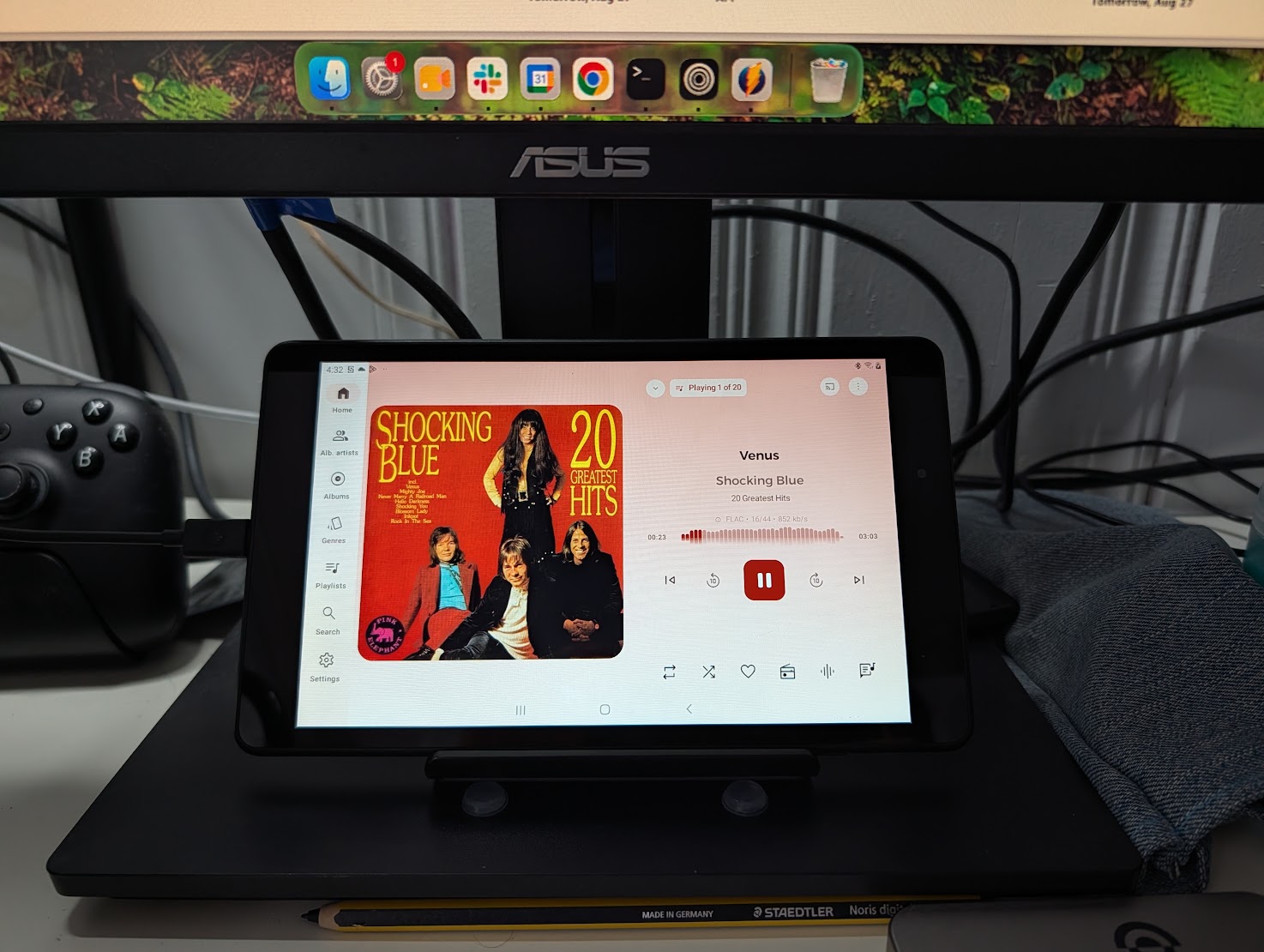
Again, it sits right in that spot on my desk, 24/7. I don’t use it for anything else. It’s a fully dedicated music player. I can see what’s playing, control it easily. It connects to my receiver with BlueTooth, sounds great. Exactly what I was looking for all along. It’s in a plastic stand right now. But I might build some kind of heavier wooden stand for it to give it a bit more stability and weight.
A while back, I posted about a command line app I created to record live streams at scheduled times. I called it RecPlay.
I’m still using that very regularly. But I improved the setup to use cron jobs to record the same shows every week. Here’s how that works:
RecPlay is installed on a computer on my network. A small, low powered NUC on my LAN.
I have a script there called record that looks like this:
#!/bin/sh
# 1 = station, 2 = length, 3 = name

dir=/home/keith/recording/$3
mkdir -p $dir
cd $dir
echo $(date) >> record.log
/home/keith/go/bin/recplay --station $1 --length $2 --name $3 >> record.log

echo "recording complete!" >> record.log

echo "renaming to m4a..." >> record.log
for file in `ls ./*.mp4` ; do
  echo $file >> record.log
  mv $file ${file%.mp4}.m4a
done

echo "syncing..." >> record.log
rsync -avz --ignore-existing --remove-source-files -e "ssh -i /home/keith/.ssh/<sshkey>" ./*.m4a <path to media on nas> >> record.log

echo "====================\n" >> record.log
Some obfuscation there, but basically it lets you pass in a station, length and name of show.
It changes into a dedicated directory for that show name and calls recplay to immediately record that stream for the given duration.
When the recording is done it changes the extension to m4a (mp4 is good for capturing a wide variety of streams, but Jellyfin sees that as a video, and m4a as audio.)
Then it syncs it to my NAS where Jellyfin is running.
I log each step in case things go wrong.
Notice that I did not use the scheduling feature of recplay. It starts recording immediately. That’s because I schedule all these via crontab. Here’s what what that looks like:
0 9 * * 2  /home/keith/recording/record wvew 01:30:00 Rustle_in_the_Bushes
0 13 * * 3 /home/keith/recording/record wvew 02:00:00 Post_Punk_Romantics
0 6 * * 3  /home/keith/recording/record wmbr 01:00:00 It_Came_From_Planet_Claire
0 7 * * 3  /home/keith/recording/record wmbr 01:00:00 Morning_Wood
0 17 * * 4 /home/keith/recording/record wers 01:00:00 Throwback_Thursday
0 10 * * 6 /home/keith/recording/record wvew 02:00:00 Psychedelic_Train
So at the given time and day of week, it records a given show for a given duration, by calling the above script.
Each recording automatically becomes part of my Jellyfin library, so I can play them from my tablet if I’m at my desk, or from my phone if I’m out and about.
Pretty happy with this whole set up.
